
Make Internet Explorer Prompt You To Save Passwords After Being Disabled
First let's solve the mystery of how IE asking to save passwords become disabled.
The most likely cause is checking the box "Don't offer to remember any more passwords". Once checked, even if you answered Yes or No, IE will no longer prompt you to save passwords.

The other method (of disabling), is actually where we'll enable password prompting, by clicking on Tools \ Internet Options and select the Content tab. Then click on the Settingsbutton next to AutoComplete in IE 7…

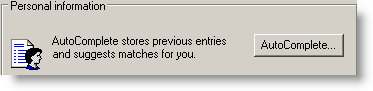
…or click on AutoComplete button in IE6.
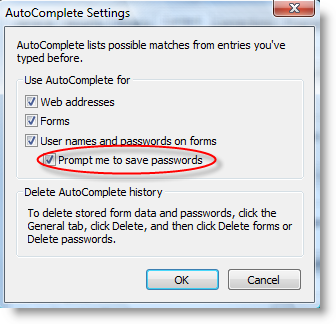
Now you just need to click on "Prompt me to save passwords" and click OK.
Next time you visit a web site that you need to logon, you should see the prompt to save passwords.


No comments:
Post a Comment
Your Words Please??
Note: Only a member of this blog may post a comment.